
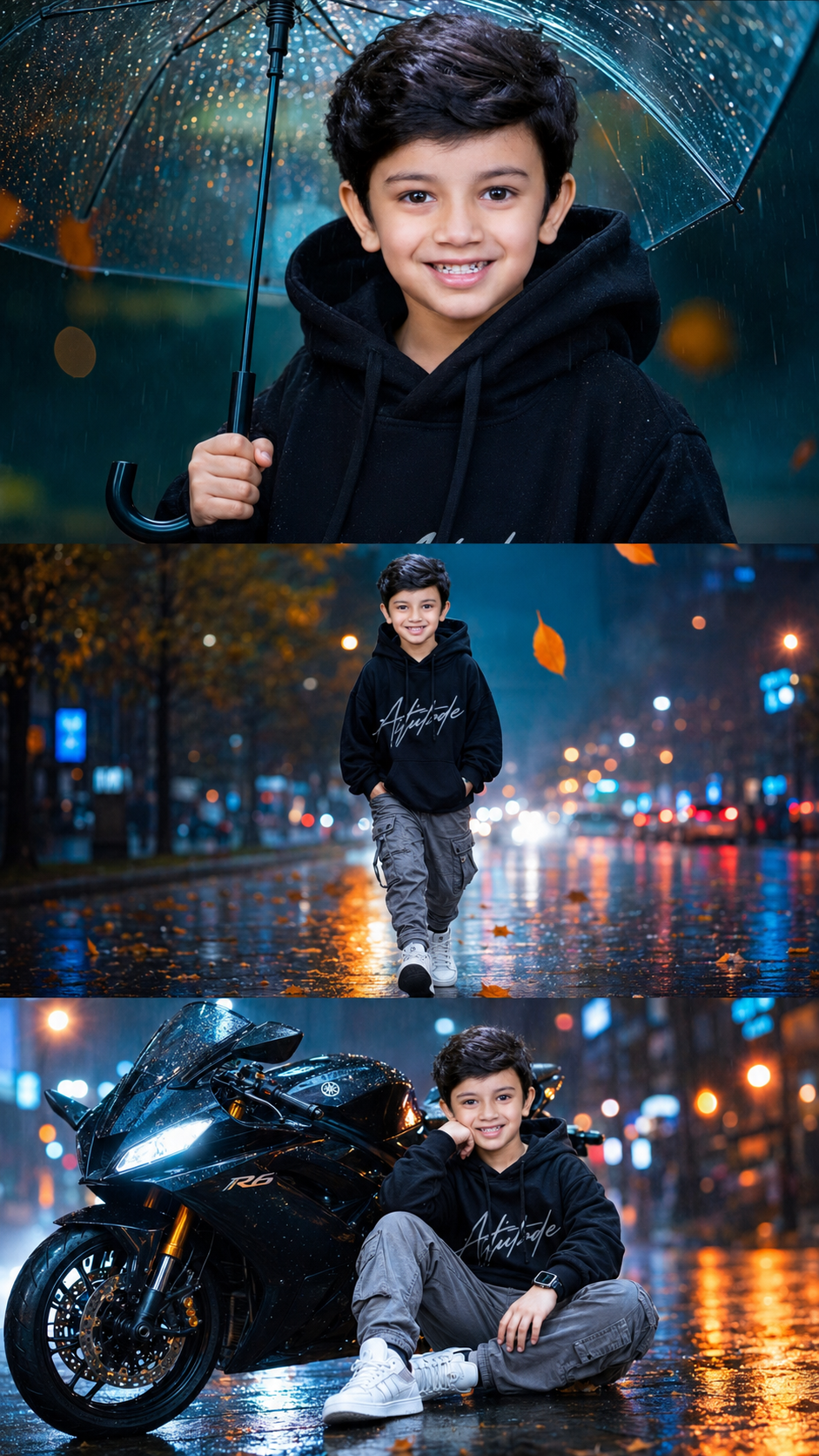
Double Exposure Style Photo Editing
Double exposure is that dreamy, layered look where two images blend into one. Think silhouette filled with a forest, or a portrait mixed with city lights. Here’s your blog content broken into 3 parts you can post as-is or expand.
Part 1: What Is Double Exposure & Why It Works
- Definition: Double exposure started on film cameras when you snapped two photos on the same frame. Now we recreate it digitally by blending two images with masks and blend modes.
- Why it’s popular: It tells two stories at once. A person + nature = connection. A face + skyline = ambition. It’s instant emotion and symbolism.
- Best image combos:
- Portrait + Texture: Silhouette + trees, clouds, water, or smoke
- Object + Scene: Coffee cup + cozy café, guitar + concert crowd
- Contrast themes: Human + architecture, calm face + stormy sea
- Pro tip: Use high-contrast silhouettes for your base image. White background, dark subject makes masking 10x easier.
Part 2: How to Create Double Exposure in 5 Steps
You can do this in Photoshop, Canva, PicsArt, or even Snapseed. Here’s the Photoshop version:
- Pick your base image: Choose a clean side-profile or backlit portrait. Cut out the subject if needed.
- Add your second image: Place the texture/landscape over the portrait. Scale it to cover the main area of the subject.
- Change blend mode: Set the top layer to
Screen,Lighten, orOverlay.Screenworks best for dark portraits. - Mask it out: Add a layer mask to the texture layer. Use a soft black brush to hide parts you don’t want, keeping the blend mostly inside the silhouette.
- Adjust & unify: Lower opacity to 70-90%. Add a gradient map or color grade so both images share the same tone. Slight grain sells the film look.
Phone apps shortcut: PicsArt → Add Photo → Blend → Lighten. Snapseed → Double Exposure tool → pick image → use brush to erase.
Part 3: Creative Ideas + Common Mistakes to Avoid
- Creative ideas to try:
- Seasonal mood: Portrait + autumn leaves for fall vibes, + ocean waves for summer
- Storytelling: Musician + sound waves, traveler + map texture
- Color theme: Keep both images in the same color family. Blue portrait + blue city = cohesive
- Common mistakes:
- Too busy: If both images are detailed, it turns into chaos. One should be simple.
- Bad contrast: Gray-on-gray doesn’t pop. You need light + dark playing together.
- No focal point: The eye needs somewhere to land. Make sure the face/eyes are still clear.
- Final polish: Add subtle vignette and dust overlays. Export in high res. Instagram loves 1080x1350px vertical.
Want me to turn this into a carousel caption series too, or give you Lightroom preset tips for the color grading?
✅✅👇 Prompt 👇✅✅
Create an ultra-realistic cinematic baby portrait poster in 9:16 vertical ratio, featuring the same toddler with 100% identity preservation, large expressive eyes, curly black hair, cute innocent face, and natural skin texture. Design a premium 3-panel collage composition.
Top Section: Close-up portrait of the toddler holding a transparent umbrella during light rain, wearing a black hoodie. Raindrops visible on the umbrella, realistic water droplets, dreamy blue-green background, shallow depth of field, dramatic rainy atmosphere, soft cinematic lighting, ultra-sharp eyes, detailed facial features, vibrant colors, luxury portrait photography.
Middle Section: Full-body walking pose on a wet city street after rain, wearing an oversized black hoodie with stylish typography, grey cargo pants, white sneakers, hands in pockets, confident cute attitude. Reflective wet road surface, fallen autumn leaves, street lights, orange and blue bokeh lights, cinematic perspective, realistic reflections, high-end fashion photography style.
Bottom Section: Toddler sitting casually beside a glossy black sports bike, relaxed pose with hand on cheek, smartwatch visible, wet pavement reflections, dramatic city lights, luxury sports bike details, premium cinematic look, ultra realistic rain effects, shallow depth of field, glowing bokeh background.
Background: Rainy urban street, soft fog, volumetric lighting, teal-orange color grading, floating leaves, water reflections, dreamy atmosphere, premium photography aesthetics.
Style: Hyper-realistic, 8K UHD, HDR, ultra detailed skin texture, realistic hair strands, cinematic rain droplets, professional color grading, magazine-quality poster design, masterpiece, award-winning photography, sharp focus, high contrast, luxury editing.
Aspect Ratio: 9:16 vertical, Instagram Reel cover style, premium poster composition, seamless three-panel layout, ultra photorealistic.