
Double Exposure Photo Editing in 3 Parts
You can nail the double exposure look with just 3 main moves. Works in Photoshop, PicsArt, Snapseed, or even CapCut.
1. Pick & Prep Your 2 Photos
- Base photo: Usually a portrait/silhouette. High contrast works best. Think dark subject on white background.
- Texture photo: This fills the silhouette. Nature, cityscapes, clouds, trees, or smoke are go-to choices.
- Prep tip: Cut out the background of your portrait if your app doesn’t auto-blend. Pure black/white backgrounds blend cleanest.
2. Layer & Blend
- Put your texture photo on top of your portrait layer.
- Set the blend mode to Screen, Lighten, or Add.
- Screen: Best for dark silhouettes. Drops out black, keeps texture in the highlights.
- Multiply: Use if your base is light/white instead of dark.
- Move/scale the texture until it sits right inside the subject.
3. Mask & Polish
- Mask out texture from the face/eyes if you want them clean. Just erase or brush on a layer mask.
- Adjust levels: Boost contrast on the base, fade the texture opacity to 60-80% so it’s not too busy.
- Color grade: Apply one tint to both layers so they feel unified. Blue/orange duotones are popular.
Quick app shortcuts:
- Snapseed: Tools > Double Exposure > Add image > Style = Lighten
- PicsArt: Add Photo > Blend > Screen > Eraser for cleanup
- Photoshop: Layer 2 on top > Blend Mode: Screen > Layer Mask + Brush
Want me to break down one of these apps step-by-step for your phone?
👇✅ Prompt ✅👇
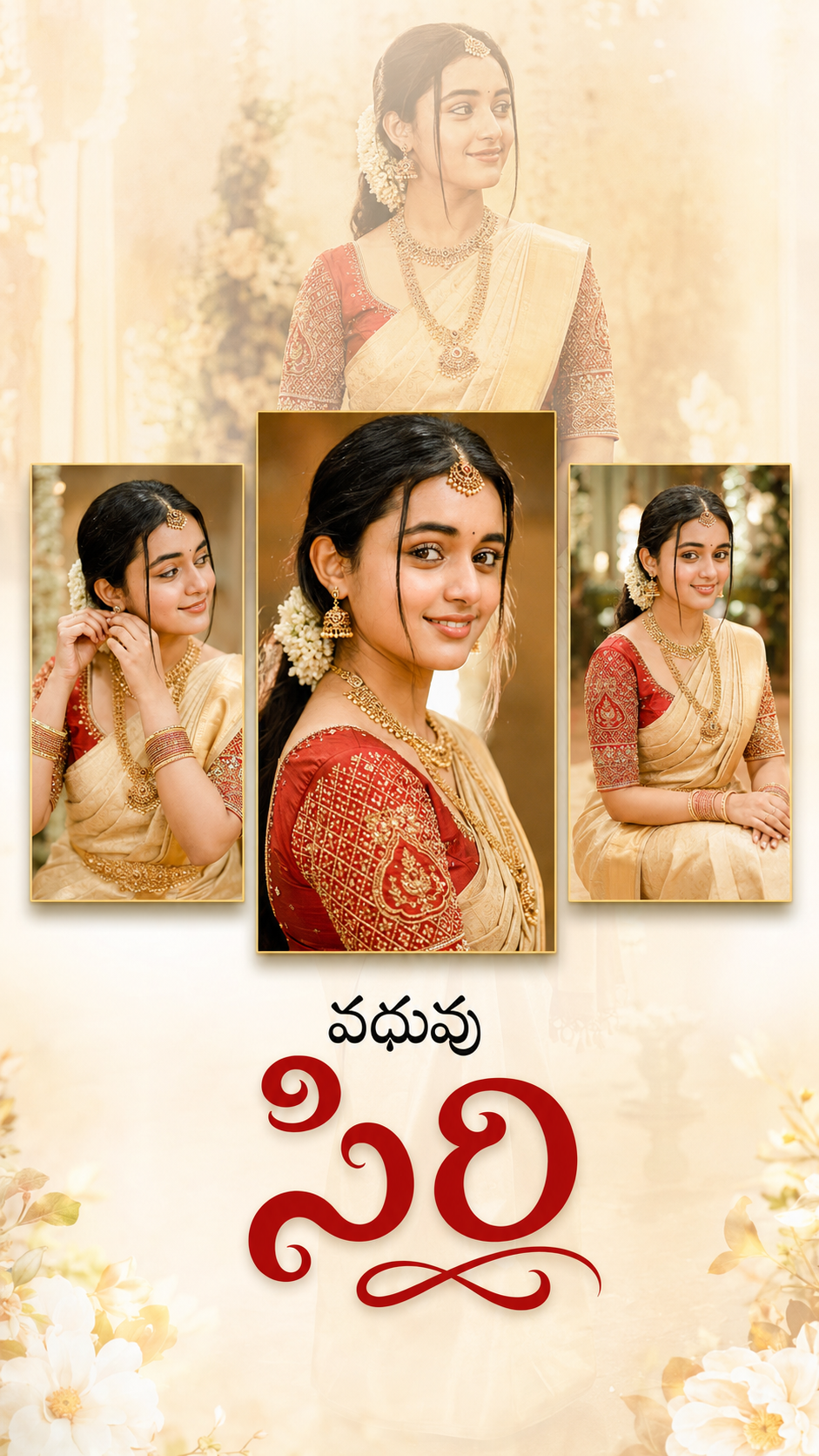
Create an ultra-realistic premium 9:16 vertical wedding portrait collage poster with a soft warm cream and golden pastel background. Use a large faded full-body portrait of a beautiful Indian bride as the background with approximately 20–30% opacity, creating a dreamy cinematic effect. Position the bride smiling gracefully while wearing a traditional cream-gold silk saree with a rich red embroidered blouse, elegant South Indian gold jewelry, jasmine flowers in her hair, and natural bridal makeup.
In the foreground, arrange three vertical portrait frames aligned across the center. The middle frame should be slightly taller and wider than the two side frames, featuring a close-up smiling portrait of the bride with sharp focus, glowing skin, rich warm color grading, and beautiful bokeh. The left frame should show the bride adjusting her hair/jewelry with a candid expression. The right frame should show the bride sitting gracefully and smiling naturally. Add soft drop shadows beneath each frame for a premium floating effect.
Use warm cinematic lighting, golden highlights, shallow depth of field, soft glow, creamy skin tones, luxurious wedding atmosphere, subtle floral bokeh, high-end wedding photography style, ultra-detailed facial features, HDR quality, realistic textures, premium editorial composition, elegant minimal design, and professional color grading.
At the bottom center, add elegant Telugu typography: “వధువు” in bold black Telugu font above, “సిరి” in large artistic deep red Telugu calligraphy below.
Leave generous negative space around the composition, maintain a clean luxury aesthetic, ultra-realistic, 8K, DSLR quality, masterpiece, highly detailed, premium wedding album poster.