
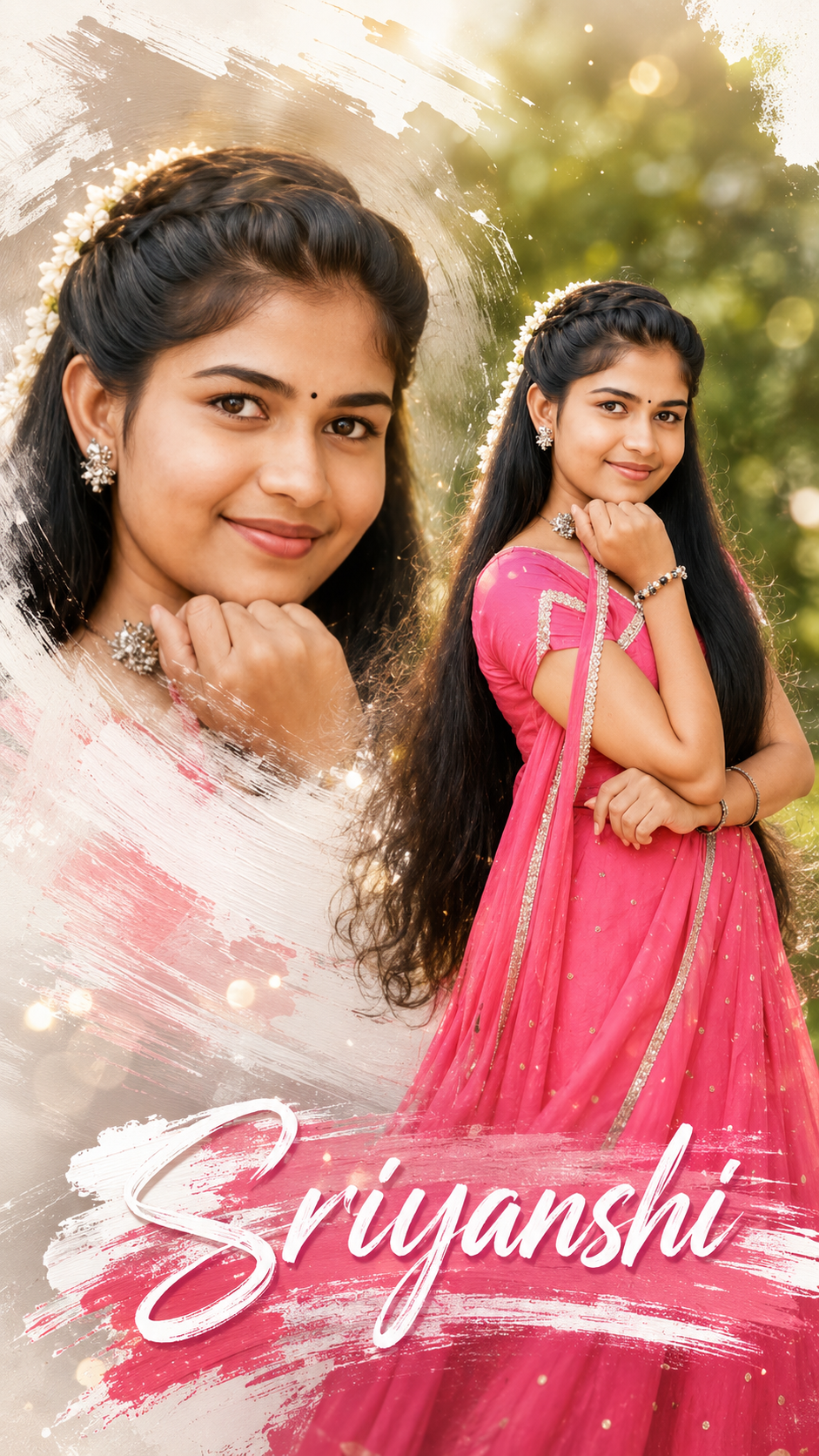
Double Exposure Style Photo Editing
Double exposure is that dreamy, layered look where two images blend into one. Think silhouette filled with a forest, or a portrait mixed with city lights. Here’s your blog content broken into 3 parts you can post as-is or expand.
Part 1: What Is Double Exposure & Why It Works
- Definition: Double exposure started on film cameras when you snapped two photos on the same frame. Now we recreate it digitally by blending two images with masks and blend modes.
- Why it’s popular: It tells two stories at once. A person + nature = connection. A face + skyline = ambition. It’s instant emotion and symbolism.
- Best image combos:
- Portrait + Texture: Silhouette + trees, clouds, water, or smoke
- Object + Scene: Coffee cup + cozy café, guitar + concert crowd
- Contrast themes: Human + architecture, calm face + stormy sea
- Pro tip: Use high-contrast silhouettes for your base image. White background, dark subject makes masking 10x easier.
Part 2: How to Create Double Exposure in 5 Steps
You can do this in Photoshop, Canva, PicsArt, or even Snapseed. Here’s the Photoshop version:
- Pick your base image: Choose a clean side-profile or backlit portrait. Cut out the subject if needed.
- Add your second image: Place the texture/landscape over the portrait. Scale it to cover the main area of the subject.
- Change blend mode: Set the top layer to
Screen,Lighten, orOverlay.Screenworks best for dark portraits. - Mask it out: Add a layer mask to the texture layer. Use a soft black brush to hide parts you don’t want, keeping the blend mostly inside the silhouette.
- Adjust & unify: Lower opacity to 70-90%. Add a gradient map or color grade so both images share the same tone. Slight grain sells the film look.
Phone apps shortcut: PicsArt → Add Photo → Blend → Lighten. Snapseed → Double Exposure tool → pick image → use brush to erase.
Part 3: Creative Ideas + Common Mistakes to Avoid
- Creative ideas to try:
- Seasonal mood: Portrait + autumn leaves for fall vibes, + ocean waves for summer
- Storytelling: Musician + sound waves, traveler + map texture
- Color theme: Keep both images in the same color family. Blue portrait + blue city = cohesive
- Common mistakes:
- Too busy: If both images are detailed, it turns into chaos. One should be simple.
- Bad contrast: Gray-on-gray doesn’t pop. You need light + dark playing together.
- No focal point: The eye needs somewhere to land. Make sure the face/eyes are still clear.
- Final polish: Add subtle vignette and dust overlays. Export in high res. Instagram loves 1080x1350px vertical.
Want me to turn this into a carousel caption series too, or give you Lightroom preset tips for the color grading?
✅✅👇 Prompt 👇✅✅
Create an ultra realistic cinematic traditional portrait poster using the uploaded South Indian girl photo, identity 100% preserved, same facial features, same traditional pink lehenga outfit, same jewelry, same flower garland hairstyle, same smile expression, same hand pose, and same outdoor green blurry bokeh background. Maintain the exact original vertical composition and same 9:16 ratio.
Add a premium cinematic editing style with ultra detailed skin texture, glossy eyes, realistic hair strands, soft warm golden lighting, dreamy depth of field, HDR color grading, luxury portrait photography look, smooth natural shadows, vibrant green background blur, and high-end wedding photography aesthetics.
On the LEFT SIDE add a large artistic brush stroke frame effect containing a second close-up portrait of the same girl’s face only, with soft feathered white paint brush edges, block and white Colour textured acrylic brush stroke effect, subtle glow, cinematic highlights, and blended double-exposure style composition. The close-up face should look elegant, emotional, and highly detailed with natural beauty enhancement.
Add modern artistic white brush stroke textures around the composition with soft paint splashes and premium abstract design elements. Include floating light particles, soft bokeh lights, subtle lens flare, cinematic fog glow, and dreamy atmosphere for a luxury poster feel.
Add stylish brush stroke typography at the BOTTOM with the name:
“Sriyanshi”
Use elegant modern calligraphy mixed with bold cinematic font styling, white and soft pink gradient text, embossed glossy effect, soft shadow, and paint brush texture behind the text.
Make the overall design look like a premium cinematic wedding poster, ultra realistic, emotional, elegant, highly detailed, Instagram viral quality, professional retouching, vibrant colors, sharp focus, luxury editing style, masterpiece quality, 8K ultra HD.