
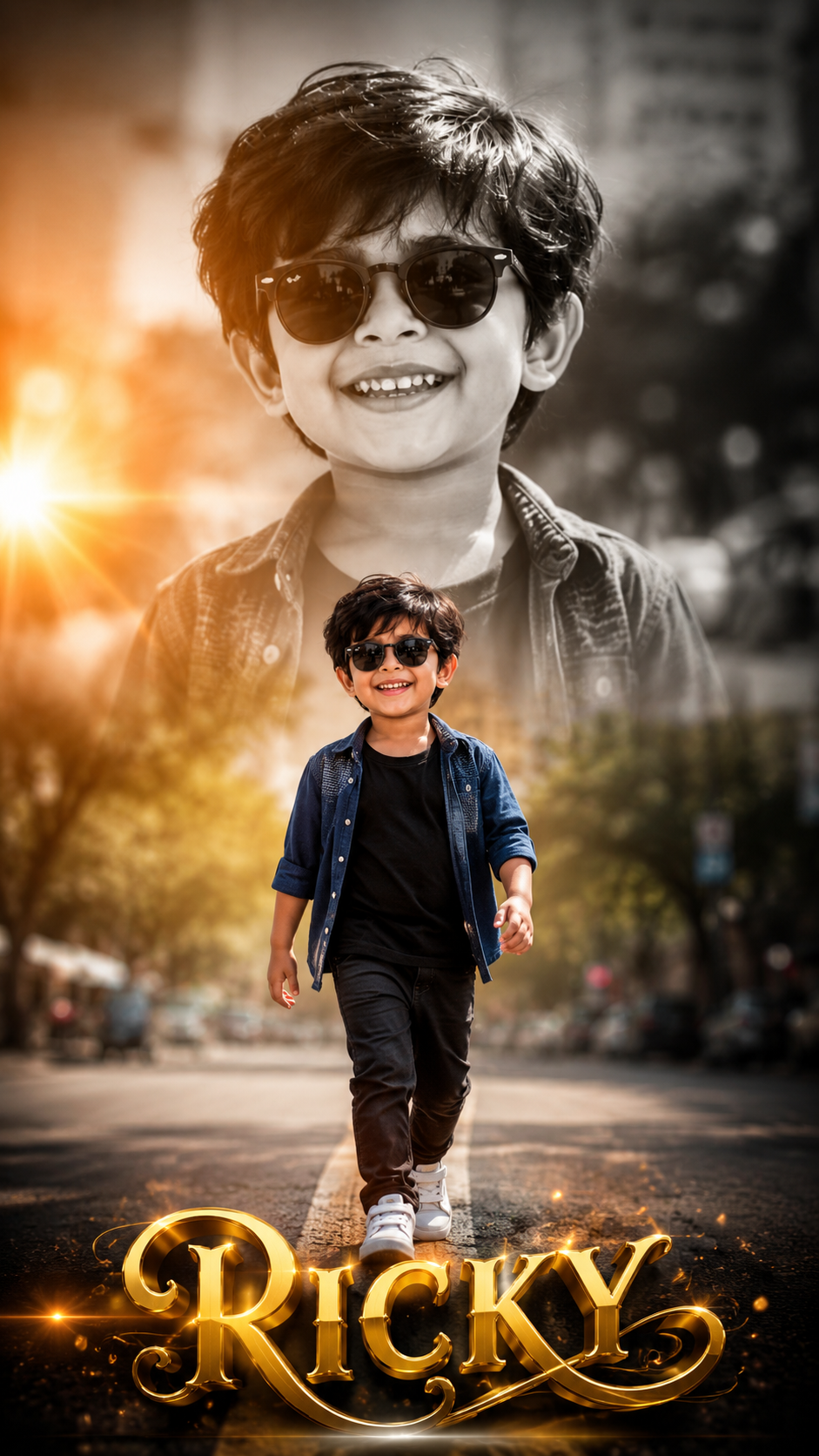
Double Exposure Style Photo Editing
Double exposure is that dreamy, layered look where two images blend into one. Think silhouette filled with a forest, or a portrait mixed with city lights. Here’s your blog content broken into 3 parts you can post as-is or expand.
Part 1: What Is Double Exposure & Why It Works
- Definition: Double exposure started on film cameras when you snapped two photos on the same frame. Now we recreate it digitally by blending two images with masks and blend modes.
- Why it’s popular: It tells two stories at once. A person + nature = connection. A face + skyline = ambition. It’s instant emotion and symbolism.
- Best image combos:
- Portrait + Texture: Silhouette + trees, clouds, water, or smoke
- Object + Scene: Coffee cup + cozy café, guitar + concert crowd
- Contrast themes: Human + architecture, calm face + stormy sea
- Pro tip: Use high-contrast silhouettes for your base image. White background, dark subject makes masking 10x easier.
Part 2: How to Create Double Exposure in 5 Steps
You can do this in Photoshop, Canva, PicsArt, or even Snapseed. Here’s the Photoshop version:
- Pick your base image: Choose a clean side-profile or backlit portrait. Cut out the subject if needed.
- Add your second image: Place the texture/landscape over the portrait. Scale it to cover the main area of the subject.
- Change blend mode: Set the top layer to
Screen,Lighten, orOverlay.Screenworks best for dark portraits. - Mask it out: Add a layer mask to the texture layer. Use a soft black brush to hide parts you don’t want, keeping the blend mostly inside the silhouette.
- Adjust & unify: Lower opacity to 70-90%. Add a gradient map or color grade so both images share the same tone. Slight grain sells the film look.
Phone apps shortcut: PicsArt → Add Photo → Blend → Lighten. Snapseed → Double Exposure tool → pick image → use brush to erase.
Part 3: Creative Ideas + Common Mistakes to Avoid
- Creative ideas to try:
- Seasonal mood: Portrait + autumn leaves for fall vibes, + ocean waves for summer
- Storytelling: Musician + sound waves, traveler + map texture
- Color theme: Keep both images in the same color family. Blue portrait + blue city = cohesive
- Common mistakes:
- Too busy: If both images are detailed, it turns into chaos. One should be simple.
- Bad contrast: Gray-on-gray doesn’t pop. You need light + dark playing together.
- No focal point: The eye needs somewhere to land. Make sure the face/eyes are still clear.
- Final polish: Add subtle vignette and dust overlays. Export in high res. Instagram loves 1080x1350px vertical.
Want me to turn this into a carousel caption series too, or give you Lightroom preset tips for the color grading?
👇✅ Prompt ✅👇
Ultra-realistic cinematic double-exposure portrait, vertical 9:16 ratio (1080×1920), premium DSLR photography, ultra-detailed 8K HDR quality, realistic skin texture, soft golden-hour sunlight, shallow depth of field, luxury color grading, warm orange sun flare from the left side, creamy bokeh background, premium outdoor urban street atmosphere.
Create a large black-and-white close-up portrait of the same little boy in the background occupying the top 70% of the frame. Preserve the same facial features, hairstyle, skin tone, smile, sunglasses, head angle, expression, and identity exactly as the reference image. The portrait should have sharp focus with a blurred city background.
At the bottom center, place a full-body walking portrait of the same boy in color, confidently walking toward the camera. Preserve the exact appearance and identity. He is wearing a dark blue open casual shirt over a black T-shirt, black slim-fit pants, white sneakers, and black sunglasses. Natural walking pose with one leg forward and a cheerful smile.
Blend the lower full-body portrait smoothly into the large background portrait using a professional double-exposure effect with soft fading edges. Add warm cinematic sunlight, subtle lens flare, volumetric lighting, realistic shadows, and premium HDR contrast.
At the bottom center, add a stylish luxury name text:
RICKY
Use a modern 3D metallic gold gradient font with glossy finish, elegant cursive + bold combination, soft golden glow, subtle bevel effect, long shadow, and floating light particles. Place the name on a transparent background with a premium cinematic look, ensuring it is clearly visible without covering the subject.
Ultra-realistic, premium child fashion photoshoot, magazine-quality composition, luxury portrait editing, natural colors, high sharpness, cinematic mood, Instagram viral style, professional retouching, photorealistic, masterpiece, 8K, HDR.